Runeon

Runeon

Play Windows-only Steam games on your Mac.

Runeon helps you run more of your Steam library on macOS with a guided setup built for Apple silicon Macs.

Requires macOS Tahoe or newer · Built for Apple silicon Macs
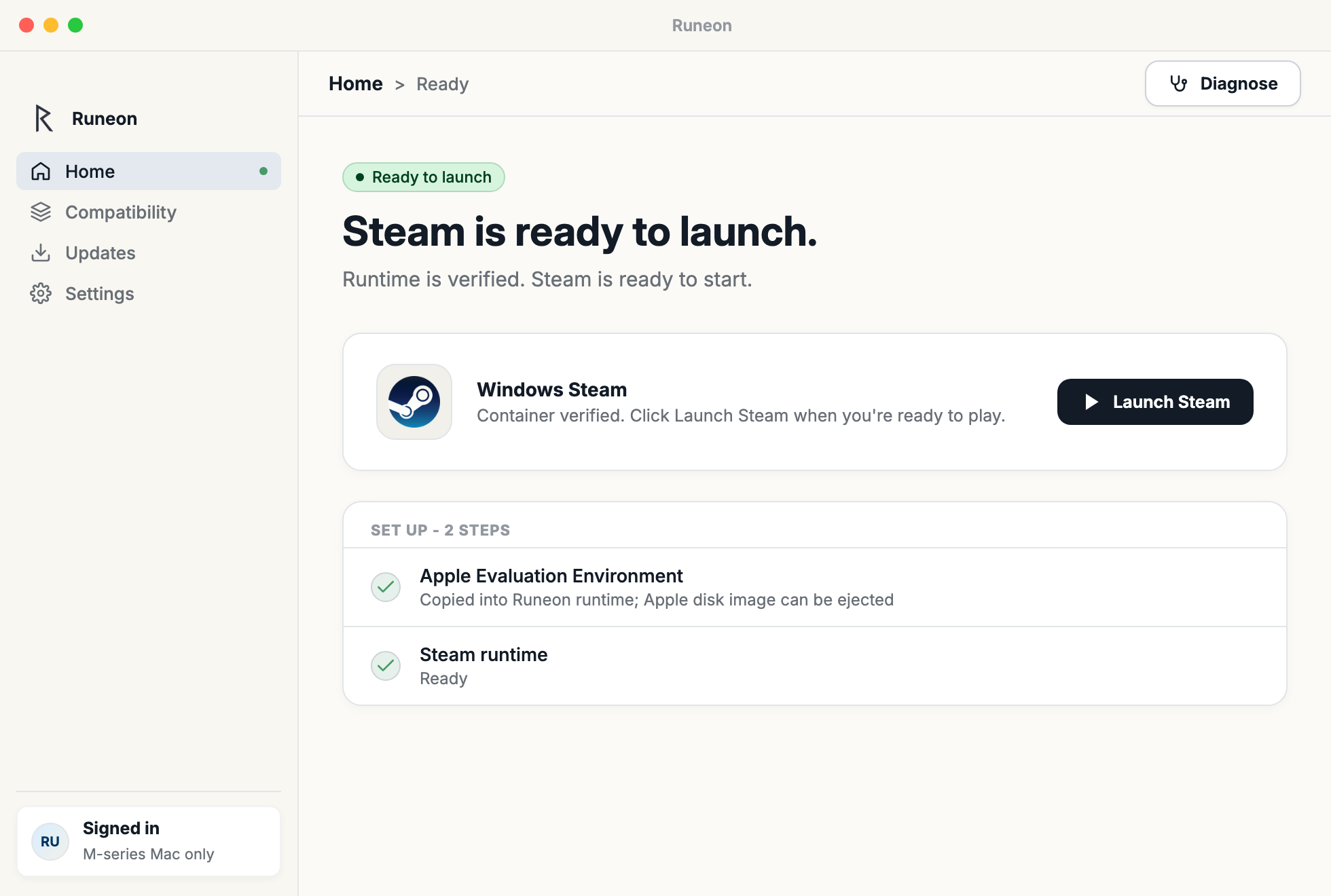
Runeon Home screen showing setup and launch controls.
How it works

Runs locally on your Mac.

Runeon guides setup, launches Windows Steam, and stops the Steam processes it manages when you are done.

Step 01

Prepare Runeon

Runeon prepares everything needed to run Windows Steam on your Mac.

Step 02

Open Windows Steam

Open Windows Steam with one action. Runeon handles the setup so you can focus on playing.

Step 03

Stop cleanly

When you stop Steam, Runeon closes the Steam processes it manages and releases the local session resources.

Compatibility evidence

Your play history stays on your Mac.

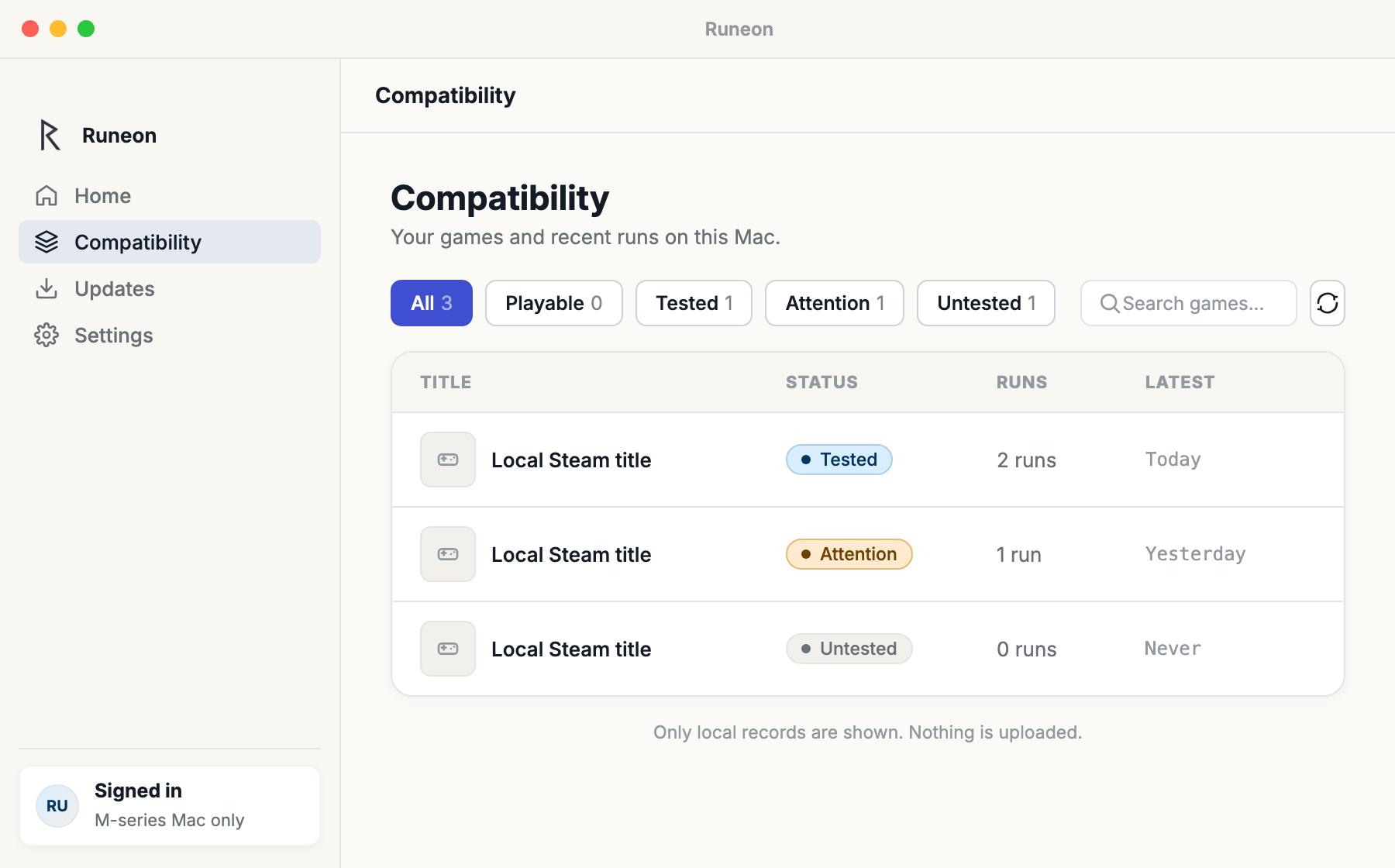
Runeon shows your local Steam library and the run history it can observe on this Mac. It does not upload those records or turn them into public claims.

Your Steam library, on Mac

Runeon reads installed Steam titles from the managed setup and keeps local results under ~/Library/Application Support/Runeon.

Local run history

When a game launch is recorded, Runeon adds that local run to Compatibility so you can compare recent attempts.

No public matrix

Runeon does not publish a compatibility matrix or score, and never claims a particular game is playable. Evidence stays your own record.

Runeon Compatibility screen showing local run records and report status.
Diagnostics with consent

Nothing is uploaded unless you choose to send it.

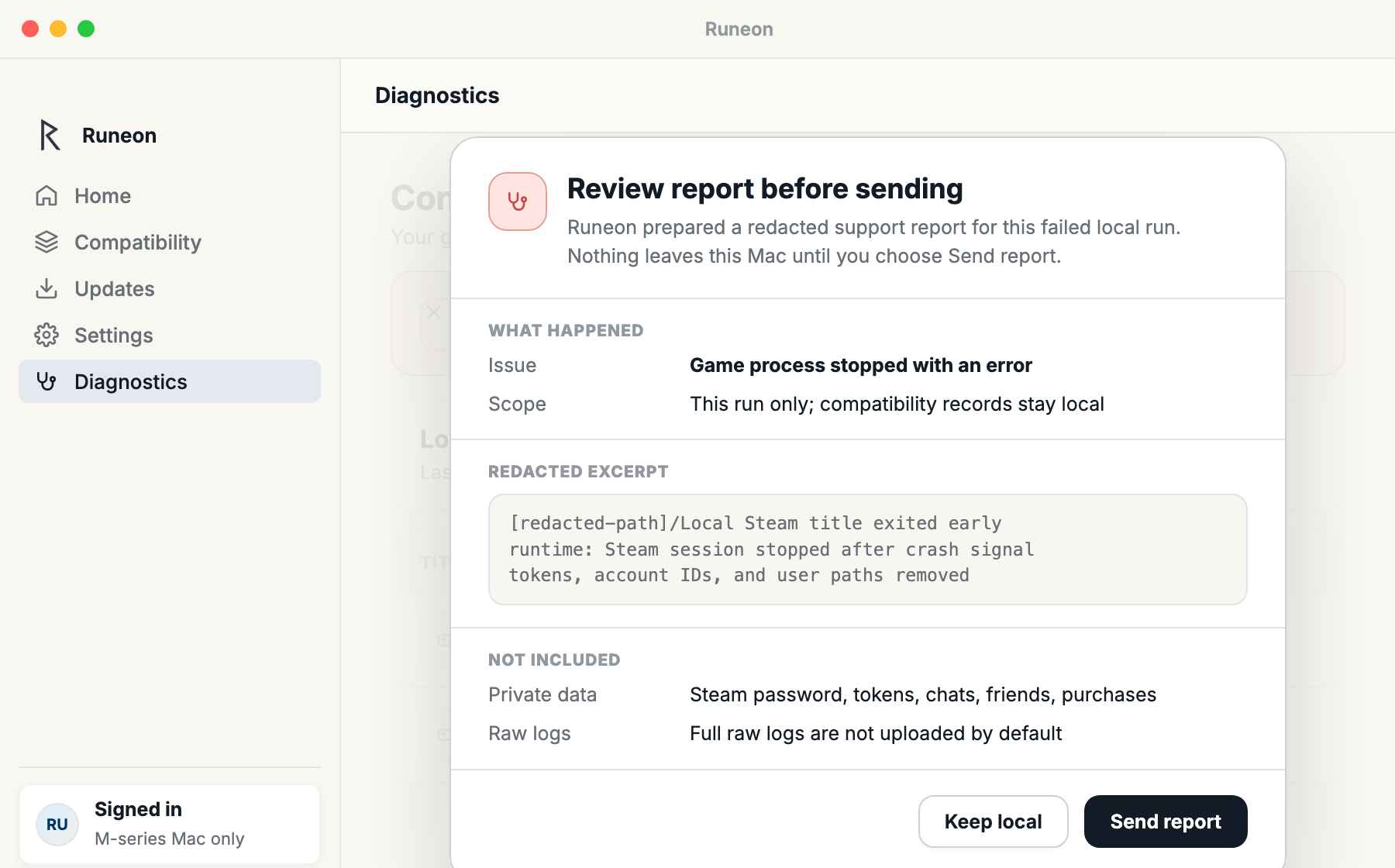
If something goes wrong, Runeon can prepare a support report that you review before sending.

Redacted by default

Runeon assembles a diagnostics package and masks identifying details such as paths, account data, and token-like values. Raw logs are never sent by default.

Review before upload

You review the report summary and redacted excerpts before anything leaves your Mac.

Opt-in, every time

Nothing uploads automatically. Sending diagnostics is an explicit choice you make for a specific issue, and only then.

Runeon report review screen showing a redacted diagnostics upload prompt.
Pricing

Simple pricing for playing more Steam games on Mac.

Try Runeon free for 14 days. Then choose monthly or annual access.

Monthly
$4.99 / month
Billed monthly. Cancel anytime.
Bring Windows Steam to your Mac
Open and stop Windows Steam
Local compatibility evidence
Consent-based diagnostics
Customer Portal for billing
Compatibility updates included
Annual
Save 20%
$48 / year
Billed once a year: about $4.00 / month.
Bring Windows Steam to your Mac
Open and stop Windows Steam
Local compatibility evidence
Consent-based diagnostics
Customer Portal for billing
Compatibility updates included

After installing, create or sign in to your Runeon account in the app to start the trial. Runeon requires macOS Tahoe or newer and an Apple silicon Mac.